
Ruby 4.0 and the Unraveling of a Virtual Sweater
The latest iteration of the Ruby language was released on 25-Dec-2025 and I decided to ignore it. I had been running version 3.4 and quite frankly feared that the mountain of Ruby code that I had written would need to be tweaked to address some hidden language compatibility issue. That is, until I found a bug in one of my wargame graphics generation kits.
Sometimes you find a bug when you’re least expecting it and it sends you down a rabbit hole of anxiety, diagnosis and discovery. How? Where? Why? What the actual f…? When I was at Qualcomm, I would describe this situation to my co-workers as “pulling on the loose thread of a sweater and watching the sleeve fall off”. In this particular case, ~25% of my generated SVG-formatted graphic files were emitting extraneous “code” at the end of the file. The end of the file would look similar to the following:
<path fill-rule="nonzero" fill="rgb(0%, 0%, 0%)" fill-opacity="1" d="M 82.242188 351.636719 C 78.949219 352.144531 78.183594 347.203125 81.476562 346.695312 C 84.773438 346.1875 85.535156 351.128906 82.242188 351.636719 Z M 82.242188 351.636719 "/>
</svg>
city="1" d="M 90.792969 353.722656 C 88.101562 351.753906 91.058594 347.71875 93.746094 349.6875 C 96.4375 351.65625 93.484375 355.691406 90.792969 353.722656 Z M 90.792969 353.722656 "/>
</svg>
Oh boy. That looks like a buffer overrun of some sort. It looks like it was trying to mark the end of the SVG code with the ‘</svg>’ tag, but it did it twice?!
The upshot was that the graphics would render in a browser window, but it would be at the incorrect size and scale due to interrupted processing. Even worse, every subsequent run of the generation script resulted in different SVG files being affected, usually ones generated later in the script. This looked like memory corruption or a timing error. Oh boy…
Diagnosis Point #1: Is it Platform Dependent?
I develop my code on two machines: an M1 Mac Studio running Apple’s ARM-based CPU and an Intel-based laptop running Linux: two processors + two operating systems. This gives me reasonable coverage to avoid platform issues or dependencies.
As I discovered the bug on my Linux laptop, I went to my office and ran the script on my Mac. The problem occurred there as well. Somehow, I had missed it.
Diagnosis Point #2: Is it a Ruby Issue?
Sigh… I was avoiding this. Thankfully, I have rvm installed on my laptop so testing this was easier than I thought.
rvm, or Ruby Version Manager, allows Linux and macOS users to install multiple versions of the Ruby environment on your system without overwriting the system’s libraries. Instead, Ruby is installed and managed within your own personal workspace. On my laptop, I had Ruby version 3.4.1 installed and running. Using rvm, I could install the later 3.4.8 bugfix version as well as the latest 4.0.1, released on 13-Jan-2026.
I proceeded to install both versions of Ruby on my laptop and was able to use the “rvm use” command to switch back and forth in order to test. Since each Ruby environment maintains its own list of installed gems (aka code libraries), I then had to write a couple of scripts to manage mass installation and management of 3rd-party gems as well as my own personal ones. An hour or so later, I was able to maintain three parallel testing environments, not only to test the bug I discovered a few hours ago, but also to check the language compatibility of my Ruby code.
Good news: all of my Ruby gems were compatible and I didn’t have to change any of my code to work with Ruby 4.0.
Bad news: the graphics generation bug was still there.
Based on these discoveries, I accidentally updated Ruby on my Mac to 4.0.1 and tested the code there as well. The bug was still there and my Ruby code was working just fine.
(Accidentally? Yeah. I hadn’t really fully installed rvm on my Mac and the install script updated the system instead of just my personal workspace. Oopsie.)
Diagnosis Point #3: PixMill, Cairo and Race Conditions
PixMill is the name of my graphics generation Ruby gem and Cairo is the name of the open source graphics library that PixMill sits on top of. If you’re familiar Inkscape, FontForge, Firefox and other WebKit-based browsers, then you’ve used applications which use Cairo as their underlying graphics subsystem.
The implementation of the PixMill gem is a combination of Ruby code and C-language interface code to communicate with the Cairo library. When PixMill is installed, its C language pieces are compiled by the system’s C compiler and this compiled glue allows the scripted Ruby parts to communicate with the faster compiled underlying Cairo library. It allows for a more direct interface between the higher-level abstractions to the “bare metal” of the compiled code.
Image File Formats and Surfaces
The PixMill code defines an object called a Canvas. Users of the PixMill gem who want to build and generate graphics must create a new Canvas to “paint” onto. In order to create this canvas, the user of the gem must provide some minimal pieces of information: the underlying graphics file format (PNG, SVG, PDF, …), the name of the filename to write to for storage, the width and height of the canvas (pixels or points depending on the file format, and, finally, a color table to be used for color name look-ups. If you want to generate a PNG file, the format will be specified as “:png” (in Ruby language parlance) and the filename might be “my-first-graphics.png”. If SVG, you would use “:svg” and “my-other-first-graphics.svg”. So far, so good.
Underneath the hood, or bonnet, the C code takes this information and creates a Cairo surface to draw upon. Cairo supports multiple surface types to pick from in order to support all of the image formats it can. PNG support uses an “image surface”; SVG an “SVG surface”; PDF a “PDF surface”. So, right off the bat, there is a giant fork in the road regarding PNG support vs SVG support and is a clue as to why my PNG graphics generation was fine, but SVG was not. Different formats, different surfaces, different code paths.
Race Conditions: Buckle Up!
I’ll jump ahead a few spaces before backing up. My C code implementation to support SVG and other similar formats, LIke PDF, via their individual surface APIs, was too simple. It worked for trivial cases, but it lacked a few function calls to keep things in sync. And when my script was generating 91 individual graphics objects in a single pass, things were bound to come off the rails.
The simple SVG surface implementation that the Cairo library provides takes three arguments: a filename for output and the width and height of the surface. According to the documentation, when the surface is destroyed, or released, then code would be called in the background during this release process in order to ensure that all drawing operations in the pipeline would make it to the output file. Easy, peasy, lemon squeezy. Except that it wasn’t.
The PixMill code defines a “save” operation for each canvas. In theory, you could call “save” multiple times, but since you’ve only specified one format/filename combination, you’d only be overwriting the one file. In addition, the save implementation only executed code for the PNG-formatted canvases. This is because the PNG surface was not tied to a filename. Instead, it was a literal pixel canvas whose pixels would be modified via the drawing operations. When it was time to save, a Cairo function called “write_to_png” would be called to emit a PNG file based on the pixels of the surface. The other non-pixel surfaces did not do this. Instead, they would convert the drawing operations to the specific language translations and store them in the specified file. So, when I was “saving” the SVG graphics, no immediate processing was done and nothing was immediately written to the file. Instead, when the canvas was released by Ruby during a garbage collection process, it would free its associated memory and call the functions it needed to finish the job. So right off the bat, saving the SVG data was not a direct function, but was being called as a side effect of memory management.
Instead of the simple SVG surface API I was using, Cairo also supports a stream API for supporting SVG surfaces. Instead of supplying a filename and relying on other Cairo code to write to the file, instead I could handle the file I/O directly in my C implementation. When PixMill created the surface for the canvas, I could open a file and store the file handle with the internal code that manages surfaces and use a write function to write the data to the file as needed. Then, when the canvas was released, I could close the file. No sweat… until the application crashed hard. Whiskey, tango, foxtrot.
That’s when I realized that Cairo uses reference counting to manage its internal data structures. Turns out, when I closed the file handle in response to Ruby releasing the canvas, Cairo hadn’t written the data to the file yet. I saw the following sequence in the logs: open the file, close the file, attempt to write to the file. Boom, head shot!
Digging deeper into the Cairo documentation, I saw that I needed to mark the surface as finished before destroying it. The finish operation is what flushes the system to write to the file. Destroying it merely marked it as available for a future flush/finish operation during its garbage collection pass and I was closing the file before it had done its job. I added a call to cairo_surface_finish() and saw that the code was no longer attempting to write to a closed file. Voila!
Except that when I ran my graphics script, I still saw erroneous SVG files. It was down to less than 1%, but it wasn’t perfect and, again, the set of damaged files changed with each run. Merde!
It was at this point that I realized that I needed to stop polishing a turd. The basic design was flawed. I needed to save when I called “save” and not rely on garbage collection processing to get the job done. I was calling clean-up routines from other clean-up routines and the state of all of those levels of code was indeterminate.
The Fix: Enter the Recording Surface
Cairo supports a surface type called a recording surface. It merely collects all of the drawing operations as a series of commands to replay later. By itself, it won’t save the effects of these operations. However, the Cairo API also supports writing to surfaces from other surfaces. So, at any point, I could use a recording surface as the basis of SVG, PDF and other formats as the fundamental layer and write to the specific formatted surfaces during a write operation. Conceptually, I’m copying one surface onto another. What actually happens is that the recording of drawing operations is being replayed and “drawn” onto the destination surface as a translation. So: “draw” to the recording surface and copy to an SVG surface when saving as SVG. The save actually happens when the function is called, while everything is still active and stop trying to do things when the software is trying to “power down”.
It worked! No more erroneous SVG files. The concept was proven.
PixMill 1.5
PixMill 1.5 was born from this fix and an increase in capabilities this new architecture opens up. Instead of building different underlying surfaces based on the format attached to the canvas, all types of canvases use the recording surface. Canvases now have access to a “save as” API call which allows the canvas to emit to a variety of file formats and files based on the same drawing commands. The previously defined “save” call now calls “save as” by using the initially supplied format and filename.
Using this architecture also opened up capabilities in API calls that previously were PNG only as the functionality relied on the PNG-specific surface.
Stack Academie
On 27-Feb, I drove up to Montréal to attend one of the monthly Stack Academie club events that was schedule on the following day. As per usual, I met up with mon ami, Marc Guenette, the evening before and met him at one of the many microbreweries in the French part of the city and enjoyed some beer and excellent conversation.
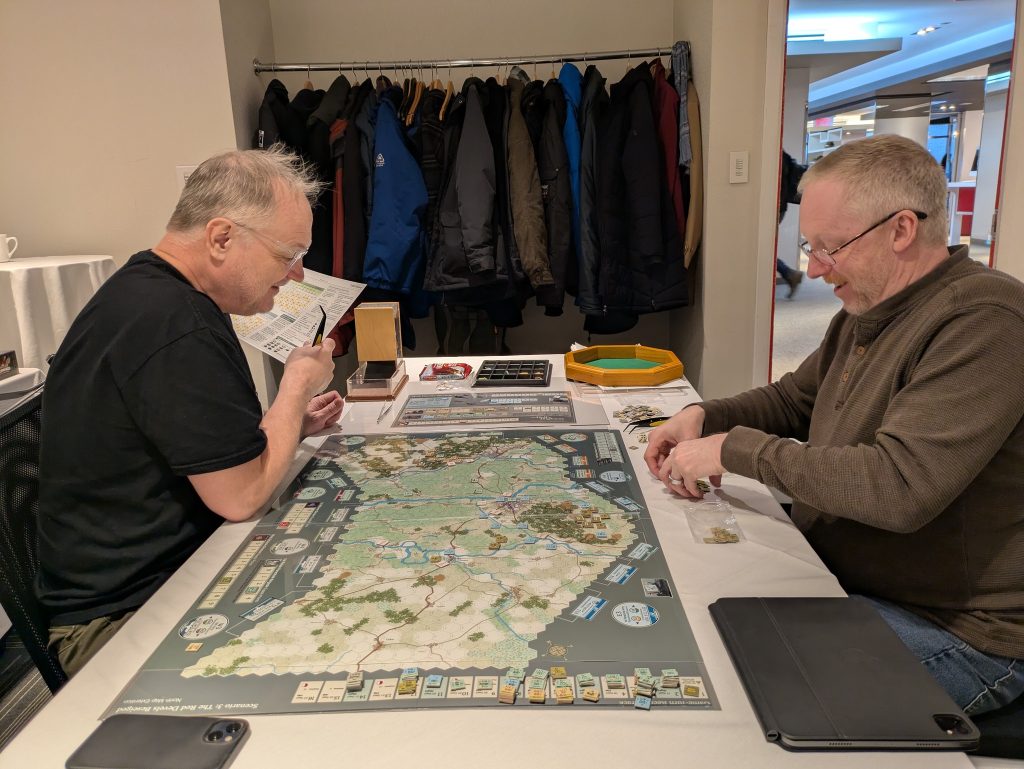
I brought a playtest kit copy of On Hell’s Highway and we played the Northern Map scenario of the game where US 82nd Airborne and 1st British Parachute divisions try to take Nijmegen and Arnhem bridges during Operation Market-Garden. Unfortunately for Marc and his Allied forces, I was rolling the hottest dice north of Arizona. Still, Nijmegen bridge fell to the 82nd, but 1st Parachute was heading to a POW camp in its entirety due to them losing the riverbank. In spite of my morale-bruising rolls, Marc enjoyed the game and its challenges.
Following that, I played New Cold War by Vuca Simulations with Marc, his wife Natasha, and Rami Sader. New Cold War is a 4-player card-driven game of global power politics set in the 1990s, 2000s and 2010s. Even though I came in last place as China, the initial junior partner of the Red bloc, I found it to be a very enjoyable game with high replayability. The graphics presentation and iconography could be better, but the mechanics were very good.
Le Coin Guérin
I took a side trip during my drive home on Sunday to the hamlet of Le Coin Guérin, southeast of Farnham, PQ. Farnham is interesting in that branches of both the Guérin dit Lafontaine and Guérin dit St-Hilaire families migrated there over time. I was hoping to find a sign of some sort defining the place, but no luck. Instead, I found a small farm at the corner of a T-shaped intersection. Le Coin Guérin translates to “Guérin Corner”. As to which Guérin family it belonged to, who knows. Regardless, I was able to scratch that itch I get when I see a place name on a map and continued on.
On Hell’s Highway
Meanwhile, the other OHH efforts are bearing fruit. If things keep trending, the game should be published this summer. In the primary playtest, the Allied team heading towards one of their rare victories and the team’s focus now is on production issues. The secondary playtest team, meanwhile, is struggling to work around their every-other-two-weeks schedule and the weather pattern we’re in. As that team is able to play from mid-afternoon into the late evening, we can cover quite a bit of ground. It’s just that the scheduling has been difficult.
Mill #6
The PixMill “crisis” was an interruption to the other work going on, categorized as two related efforts: technical debt remediation and asset management, both brought on by the dissolution of Brick Mill Games, LLC.
The rush to build a product let to a headlong rush to achieve functionality at the cost of stability and design review. This leads to technical debt, which is a leading cause of unexpected bugs (cough, PixMill, cough). Going over the code again and improving documentation and test harnesses has revealed some design and implementation weaknesses that are being corrected.
Asset management is the assignment of updated copyright information between myself and Paul Chicoine, the other half of BMG, for the assets of that company. In that vein, there is also some work that needs to be done to ensure that the ex-BMG assets that rely on the now-Mill #6 code will not break. Paul and I are hammering out that deal as well as forging a new partnership under different requirements.
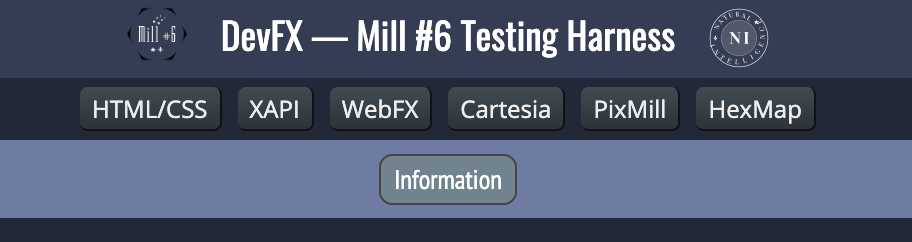
DevFX is a derivative test harness that was part of the BMG software suite. Whereas the original tested everything, the Mill #6 version will now test those assets that fall under the Mill #6 umbrella. For the shared code assets that Paul and I share, there will be a separate test harness to exercise those elements.
The assets above test the following Javascript components:
- HTML/CSS: generic testing of HTML/CSS constructs
- XAPI: the eXtensible API used for managing the DOM as well as JSON string management and other useful tools
- WebFX: custom UI elements
- Cartesia: 2D geometry functions
- A function port of a Ruby gem of the same name
- PixMill: graphics generation
- A functional port of the Ruby gem mentioned above, but focused on modifying the browser’s backend canvas elements without the file format load/store options
- HexMap: hexagon-based map data management, layout and path generation
- This is a set of geometry management tools that supports the creation and presentation of a hexagon-segmented map. All geometry, no metadata, no pixels.
Like all testing harnesses, this is ongoing work to support the other projects.
ToDo Application
Meanwhile, work continues on my next application, ToDo.
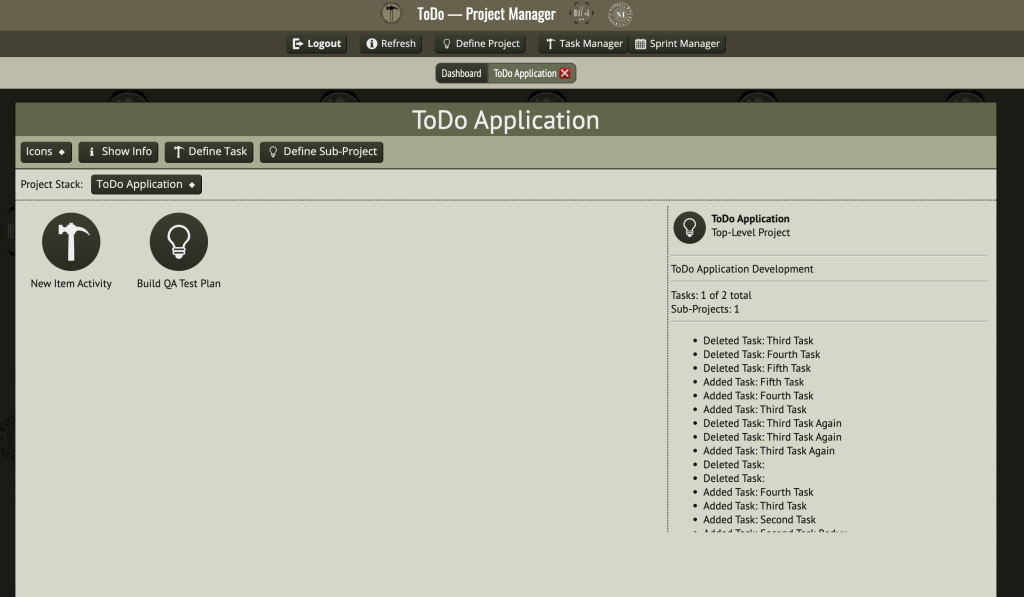
The image above shows the work in progress, where I’ve created a ToDo Application project to manage and have added some sub-projects and tasks. An activity log on the right hand side shows some testing I’ve done, including some bugs where you can see that I’ve had to delete the same task more than once.
The database support seems to be solid; the UI work is more intensive at this point. I’ve begun considering how collaboration will fit into this application, but I think I need to update Crux to support WebSockets to allow for push notifications. As a personal tool, it’ll be fine once the bugs are ironed out.
Final Thoughts
That’s really all the news that’s fit to print. There’s progress on other personal tasks that I have to address, but the pace is more glacial than I would like. All the stuff I’ve talked about here is the fun stuff, mostly. The other stuff raises my blood pressure more that I would like, but the end of that saga is in sight. I’ll have more to say on that when it’s over and certain encumbrances have been shaken off.
Finally, I have to mention my wife, Claire. Without her, I really don’t know how I’d cope with the negative stuff. Her love and patience are pillars I can rely on and she supports all of my endeavors. She’s the best!